Nova Launcher alternatives
Nova Launcher stopped being developed in 2025. Here’s where to go next, depending on what you liked about Nova.
Updated 9 November 2026
What happened to Nova
Nova was the most popular Android launcher for over a decade. Branch, an analytics company, bought it in 2022 and laid off most of the team in 2024. In September 2025 the founder, Kevin Barry, said he had left Branch and had been asked to stop work on Nova and on the plan to open-source it. Nova’s last major update came out in 2024. (9to5Google, Android Authority)
Nova still runs and is still on Google Play, but without updates it will slowly fall behind Android. If you’re going to switch, it’s a good moment to decide what you actually want from a home screen.
Pick by what you want
Keep a Nova-style grid
Lawnchair: free, open source and Pixel-like, with icon packs, widgets and app drawer folders. Smart Launcher: polished, with widgets, gestures and automatic categories; Pro by subscription or lifetime licence.
Go minimal
Niagara: one list with favourites, widgets and notifications; Pro yearly or lifetime. Olauncher: free, open source, a few apps as plain text.
Organise by category
Pageless: every app by name in categories you make, five layouts, no widgets. Basic is free; Pro is a one-time purchase.
Not sure
See our side-by-side comparison of Pageless, Niagara, Nova, Smart Launcher, Lawnchair and Olauncher.
Coming from Nova to Pageless
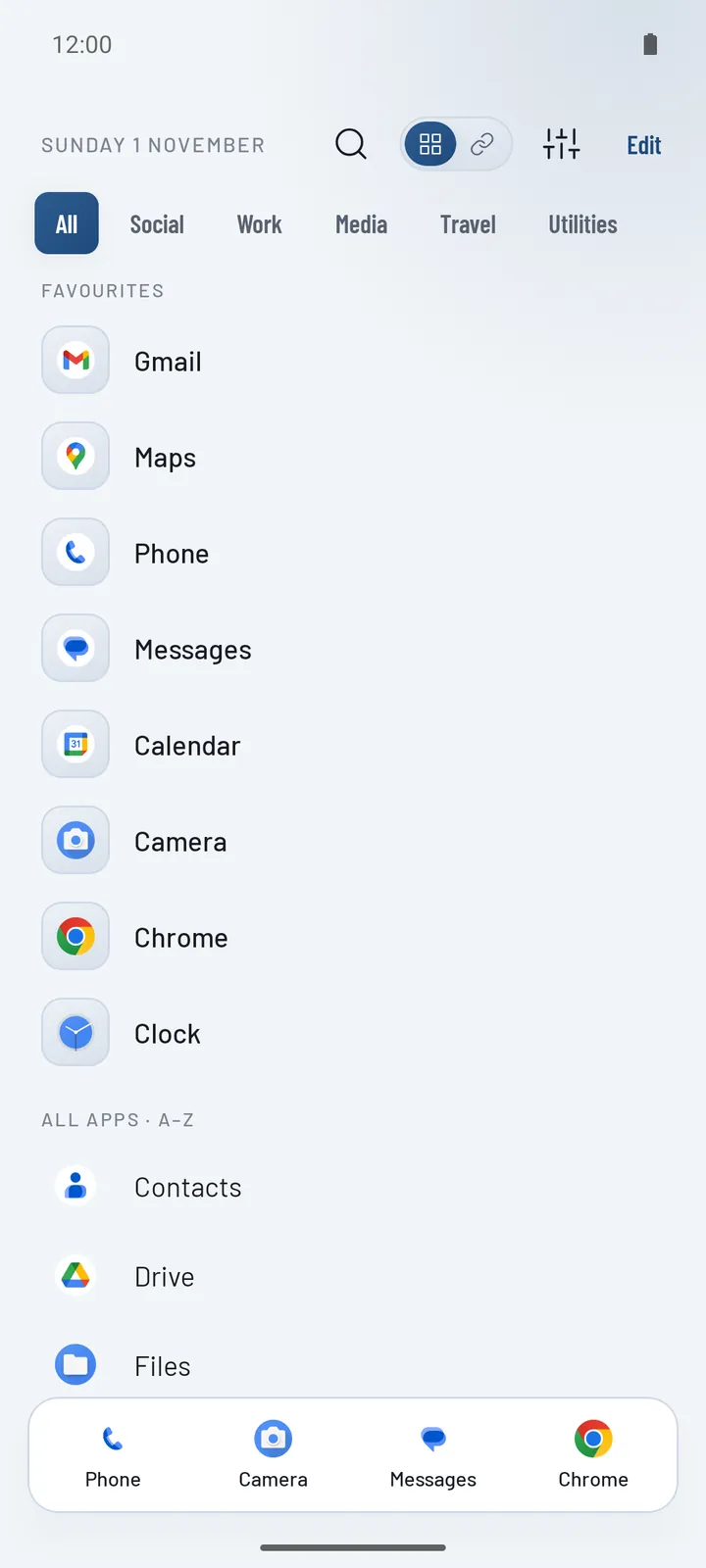
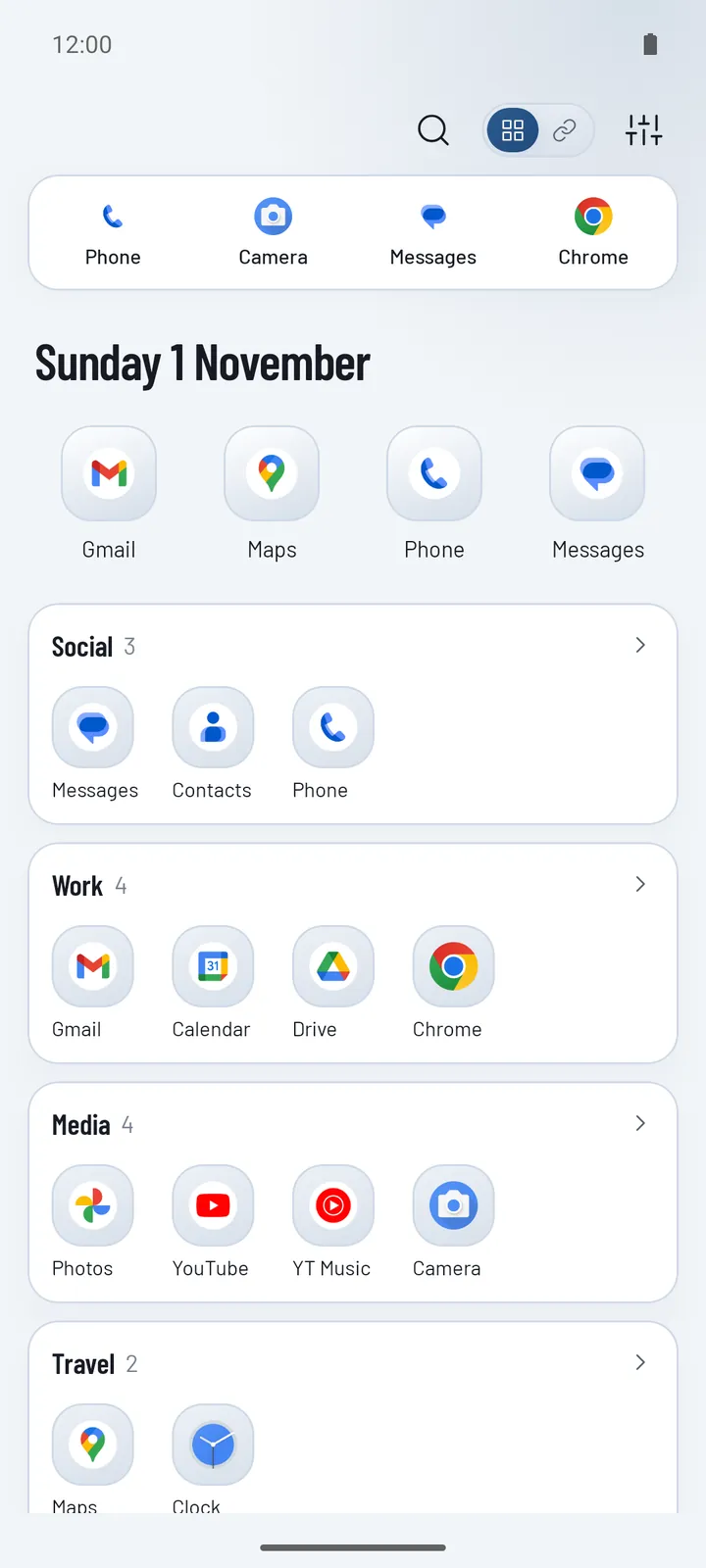
If you used Nova’s drawer tabs or folders to keep apps grouped, Pageless categories do the same job without the grid. Here’s how the ideas map:
| In Nova | In Pageless |
|---|---|
| Home screen pages | One screen: favourites on top, then all your apps by name |
| Dock | Quick actions: four apps, always one tap away |
| Folders, drawer tabs | Categories, shown as tabs, cards, folders or shelves |
| Hidden apps | Hidden apps (still found by search) |
| Notification badges | Notification dots |
| Icon packs, widgets | Not available; apps keep their own icons |
| Nova Prime | Pageless Pro: one purchase, 7-day free trial |
Switching takes about ten minutes
- Install Pageless and open it. Pick up to eight favourites and a layout.
- On the last setup step, tap Choose Home app and pick Pageless.
- In Settings › Categories, create your categories and move apps into them. Start with four to six.
- Keep Nova installed for a week. If you change your mind, pick it again under Settings › Apps › Default apps › Home app.
When Pageless isn’t the right replacement
If widgets, icon packs or gestures were the reason you used Nova, choose Lawnchair or Smart Launcher. Pageless is for people who want fewer icons and a home screen sorted by what their apps are for.
Questions
Is Nova Launcher still safe to use?
It still works, and the app on Google Play hasn’t changed. But it no longer gets updates, so future Android versions may break things and no fixes will follow. That’s why many people are moving now, while they can do it calmly.
What is the closest alternative to Nova Launcher?
Lawnchair, which is free and open source, is the closest for a customisable grid with icon packs. Smart Launcher is a polished paid option with widgets and gestures.
Can I move my Nova setup to Pageless?
Not automatically: Pageless doesn’t read Nova backups. Setup takes about a minute, and sorting apps into categories takes a few more, once.
Is Pageless a subscription like some other launchers?
No. Basic is free, and Pageless Pro is one purchase in Google Play. Everything is unlocked for the first 7 days.